User Feedback
Situation:
Design a way for users to provide feedback, in Moody's Copilot eco-system.
What's unique about User Feedback & Error Handling:
● I came up with the content strategy for pre-canned user feedback options.
● I used Moody's Copilot skills, to query user research which saved me hours, and to help me brainstorm.
Task:
● May 2023: Come up with a mechanism, content and design for gathering user feedback in the Web UI, and also in Teams and Slack.
● January 2024: utilize the Web UI pattern for the launch of the “Chat With Your Data” skill.
● June 2024: enrich content options of the pre-canned feedback, for “Build Your Own Assistant” skill launch.
● September 2024: customize content options of the pre-canned feedback, for unique skills.
Action:
May 2023:
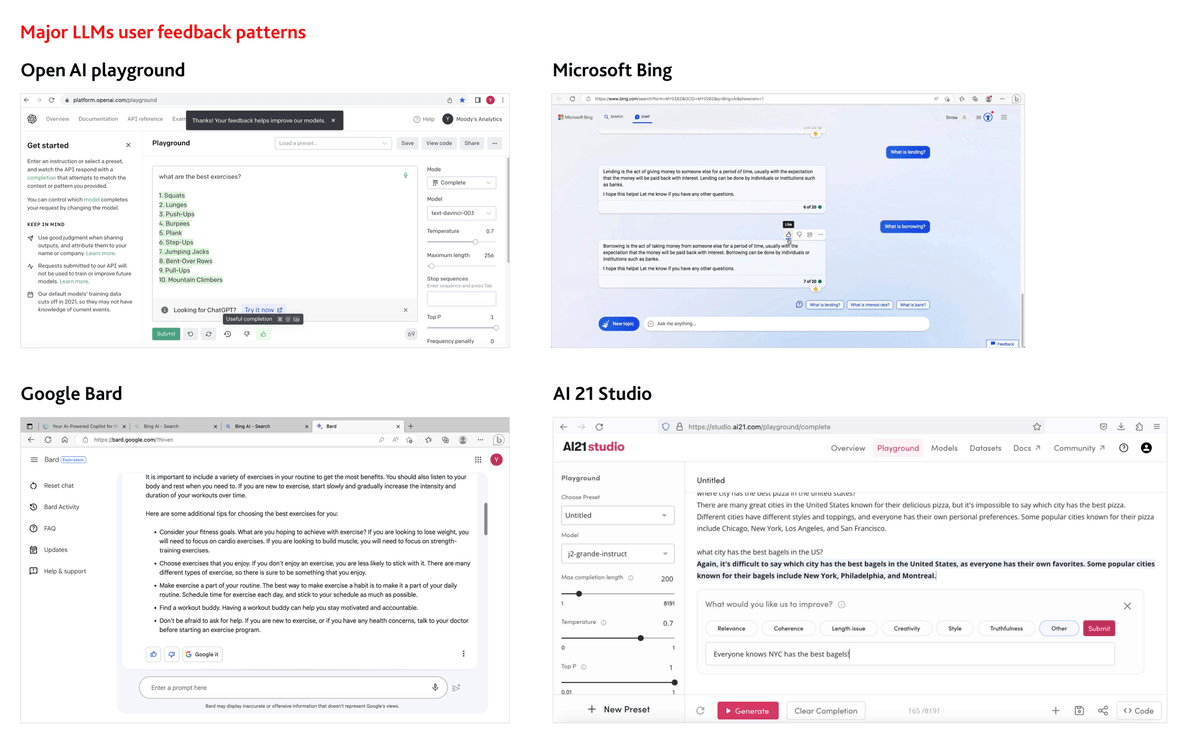
● Market research: I did market research to see how other LLMs handled feedback, and what content they used.
● Content strategy:
- I came up with pre-canned feedback options such as "Relevance", "Accuracy", "Citation quality", etc.
- The options were diverse enough to give us rich feedback. And standardized enough to be able to be used on multiple skills, as a common component.
- A year later, as we added a variety of sophisticated skills, I came up with more bespoke options for each skill, for Product to review.
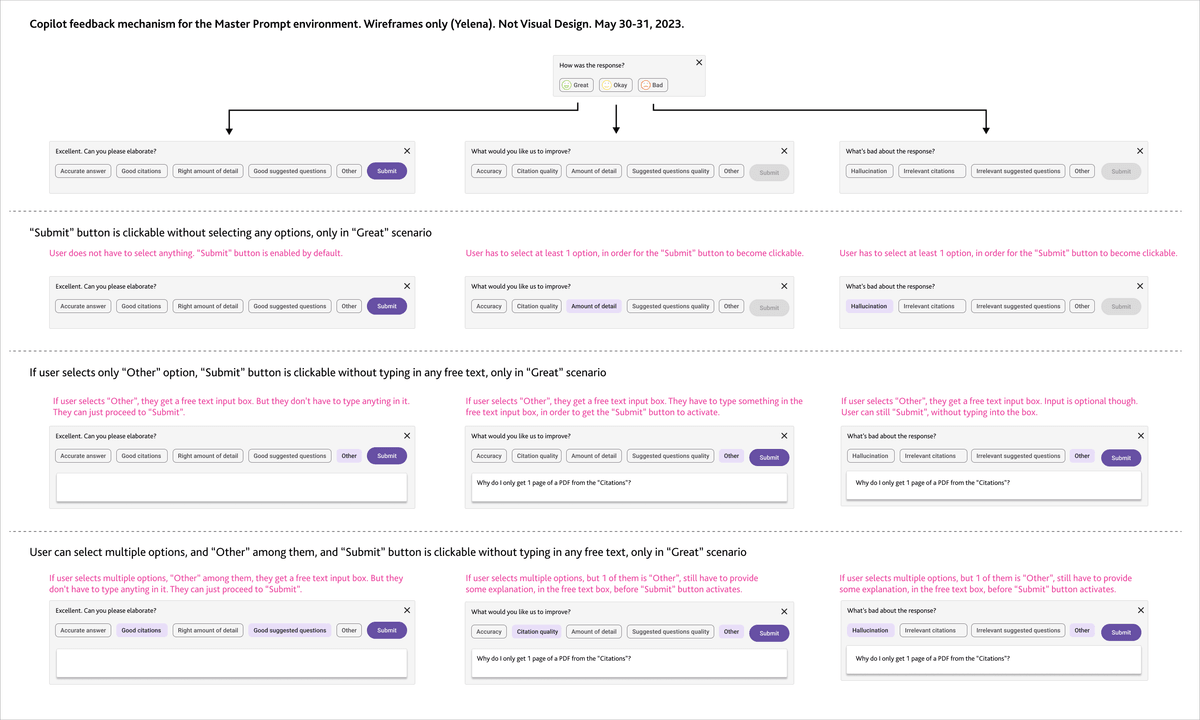
● Logic: I came up with the following logic: if user selects "good", they can submit as is. If they select "neutral" or "bad", we require them to select at least 1 specification of why they made that choice. This way we understand better what’s not working. I created this diagram for developers, so they understand how to implement the behavior.
● Wireframe and prototype: I put together wireframes and prototypes in Figma.
● Visual design: My colleague, visual designer, designed the final appearance.
June 2024:
● Content strategy: I came up with additional content options of the pre-canned feedback, that were specific to “Build Your Own Assistant”, for the skill launch.
September 2024:
● Multi-faceted approach: I used research and skills we already have, to help me come up with custom-content for each unique skill. Details and prompts are below in the story.
Result:
● Provided users with a way to give rich feedback on our skills.
● Provided the team with a way to receive feedback from users, to inform strategy, uncover blind spots, and improve our products.
● The Product Manager was very pleased with each deliverable. With me doing market research, developing the logic and diagram for implementation, and coming up with comprehensive content strategy, that lifted weight from her shoulders.
● Everything I delivered was implemented with no edits.
● I built the measurement layer: one feedback component covering about 90% of skills, extended with options tailored to each skill. It has collected 17 months of data, enough to measure skill quality. In enterprise finance, the analysis often lags behind the data. This design makes sure the data exists when the organization is ready.
Industry research from May 2023
Content strategy I came up with.
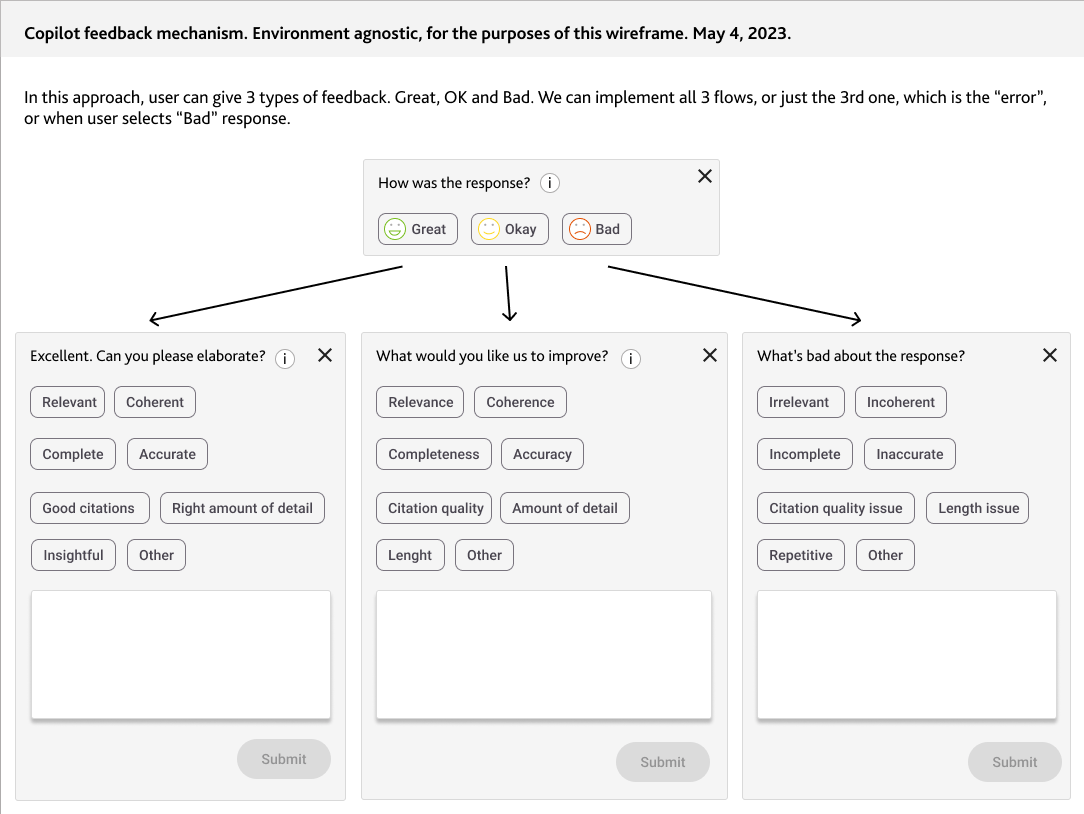
Flow diagram with logic. I came up with the logic for user feedback. We had "good, neutral, bad" options. I created a diagram that guides what happens if user clicks each option. If user selects "good", they can submit as is. But if they select "neutral" or "bad", we require them to select at least 1 specification of why they made that choice.
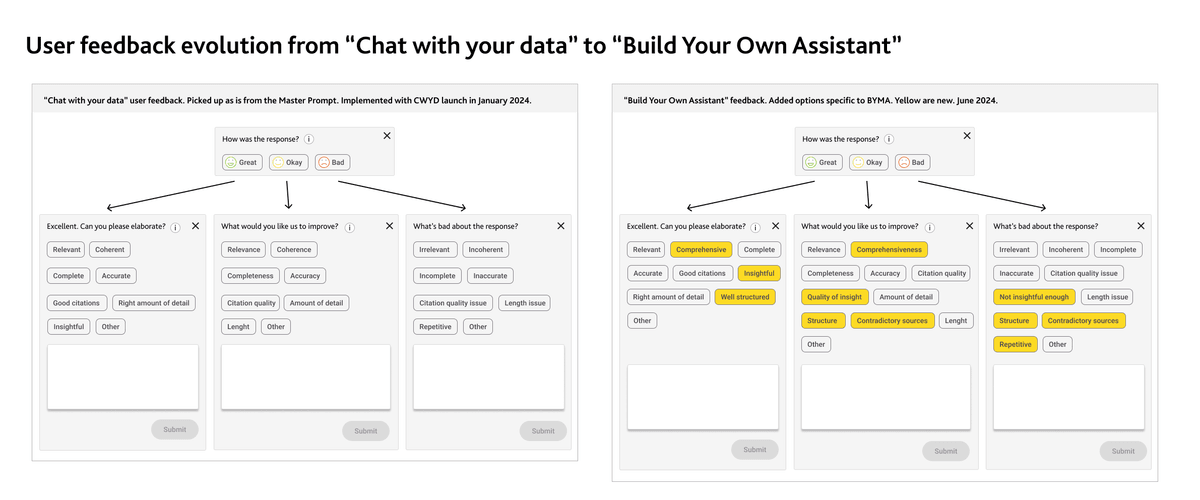
Content strategy. Evolution from "Chat with your data" to "Build your own assistant". BYOA is a more complex product, that required a more sophisticated user feedback.
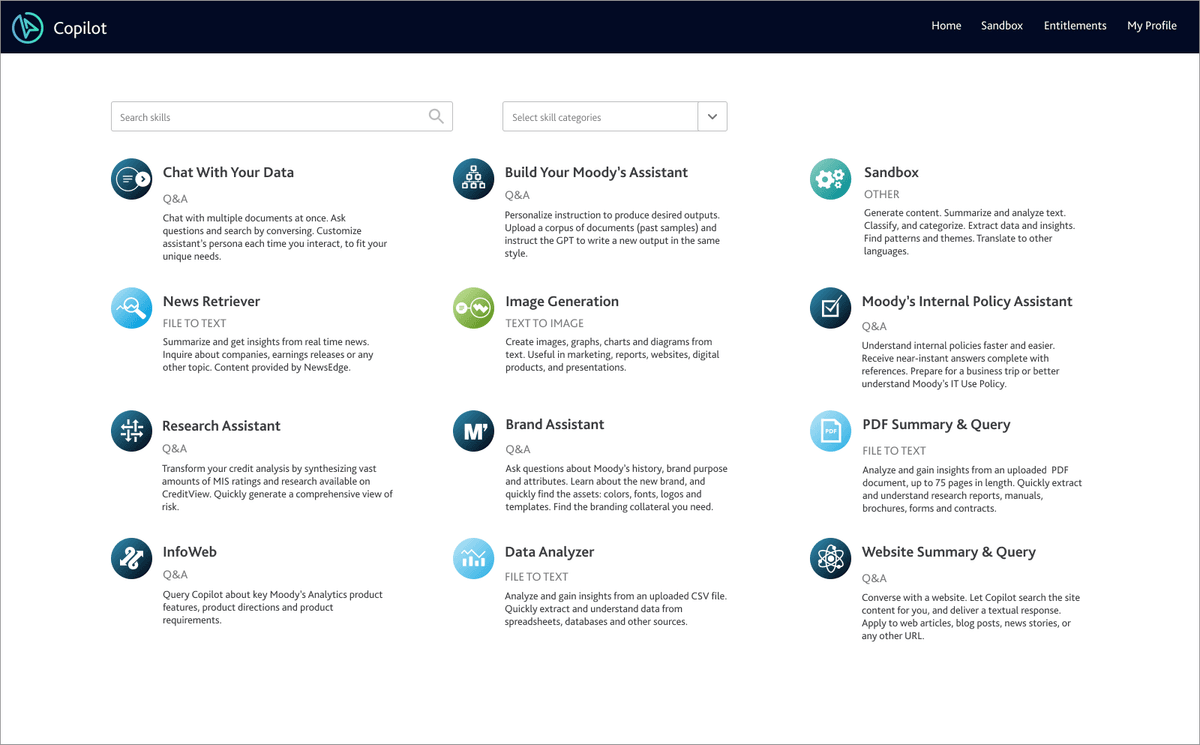
This slide is to show all the different skills that the user feedback feature had to serve. I designed a feature to fit into a complex eco-system. The feedback had to be applicable to almost ALL skills and there was great variety in skills: function, purpose, structure. Not all feedback pre-canned options fit 100% of the skills, but they fit 90%. So the Product Manager decided to use it anyway, because it enabled us to use a single code component for all skills.
Below this slide, I go into detail in designing bespoke feedback mechanism for each skill. Yet, still trying to group skills, so we still have a few feedback components, instead of 1, or 12 or more (skills) that came later.
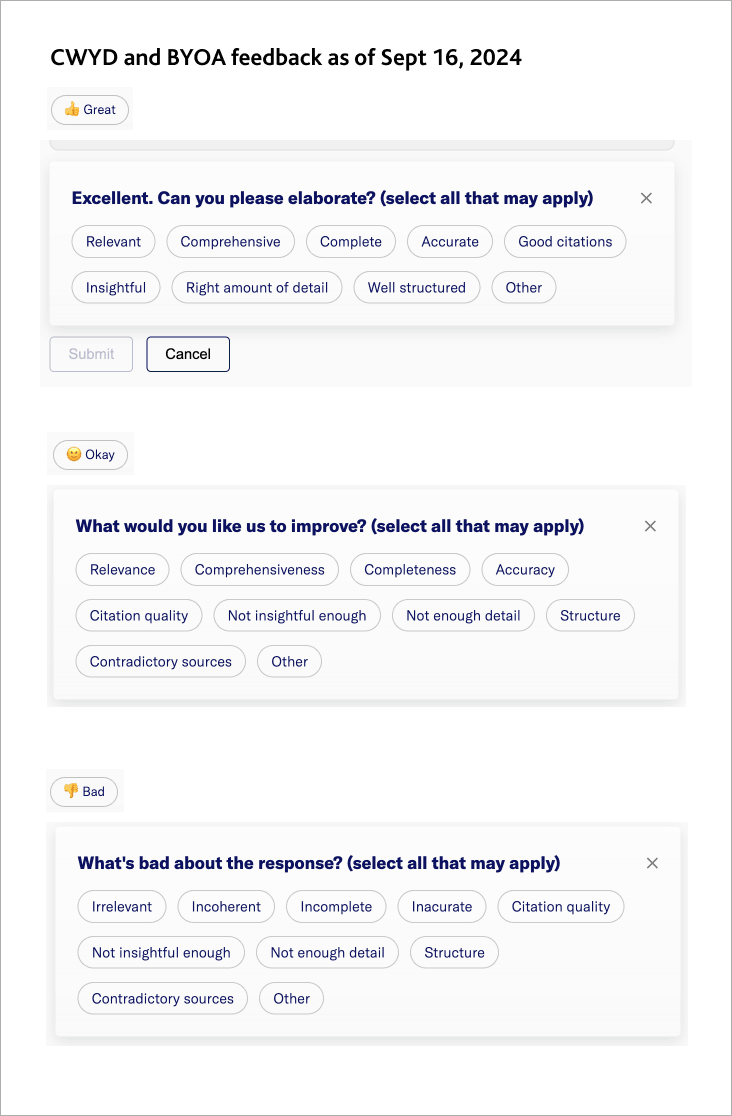
This is a comprehensive look at all the content options, in the UI.
User feedback, implemented, in UAT and in Production. Video is 2 minutes long, and has my voiceover. You can view it here. Or, you can scroll down through the screens, if you prefer that.
"Chat with your data" skill, the 3 options are a starting point and entry into the pre-canned content options.
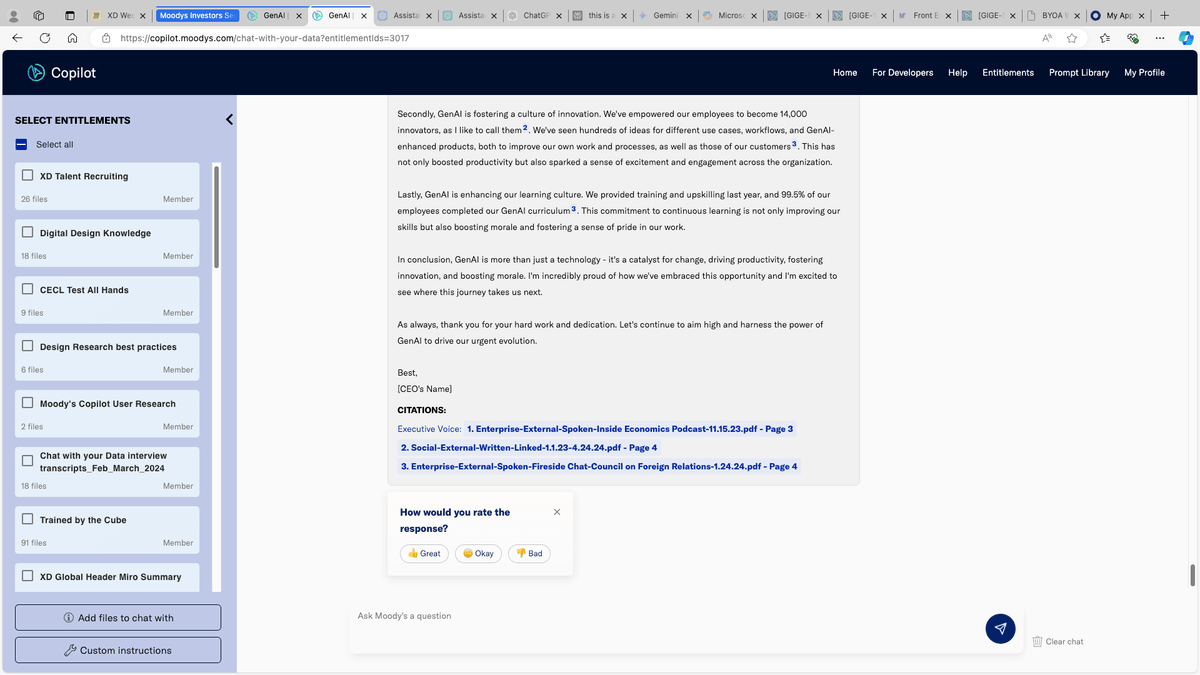
The pre-canned options in the Web UI, for "Chat with your data". Here the user chose "Neutral" feedback.
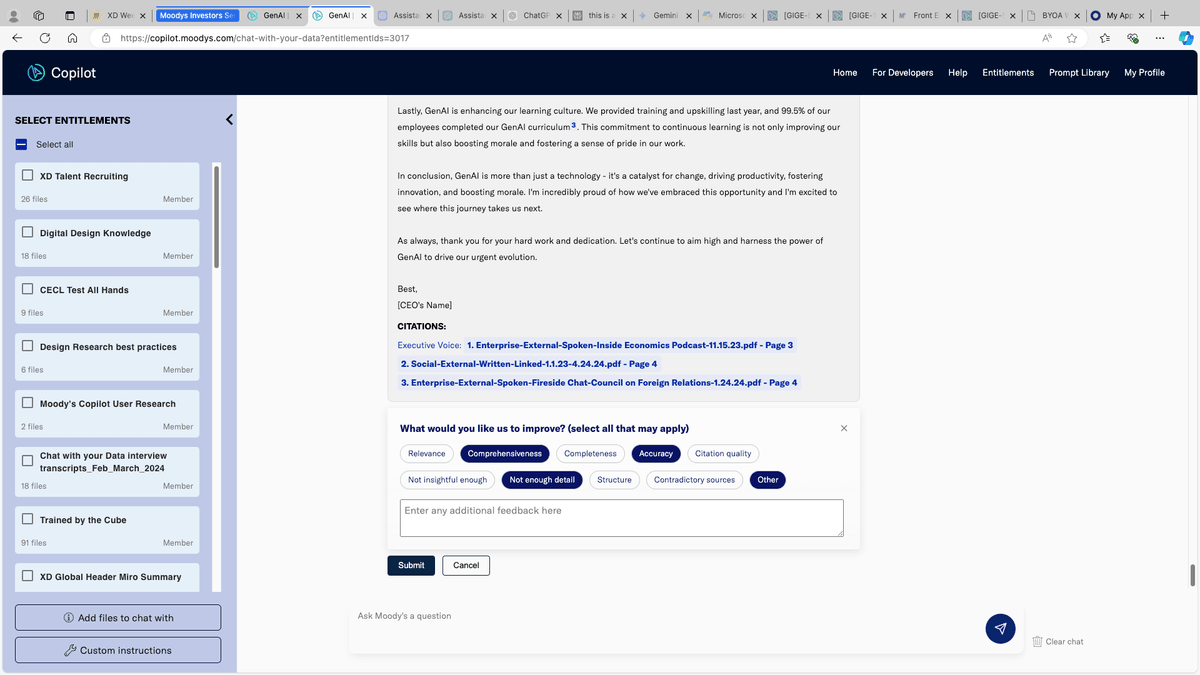
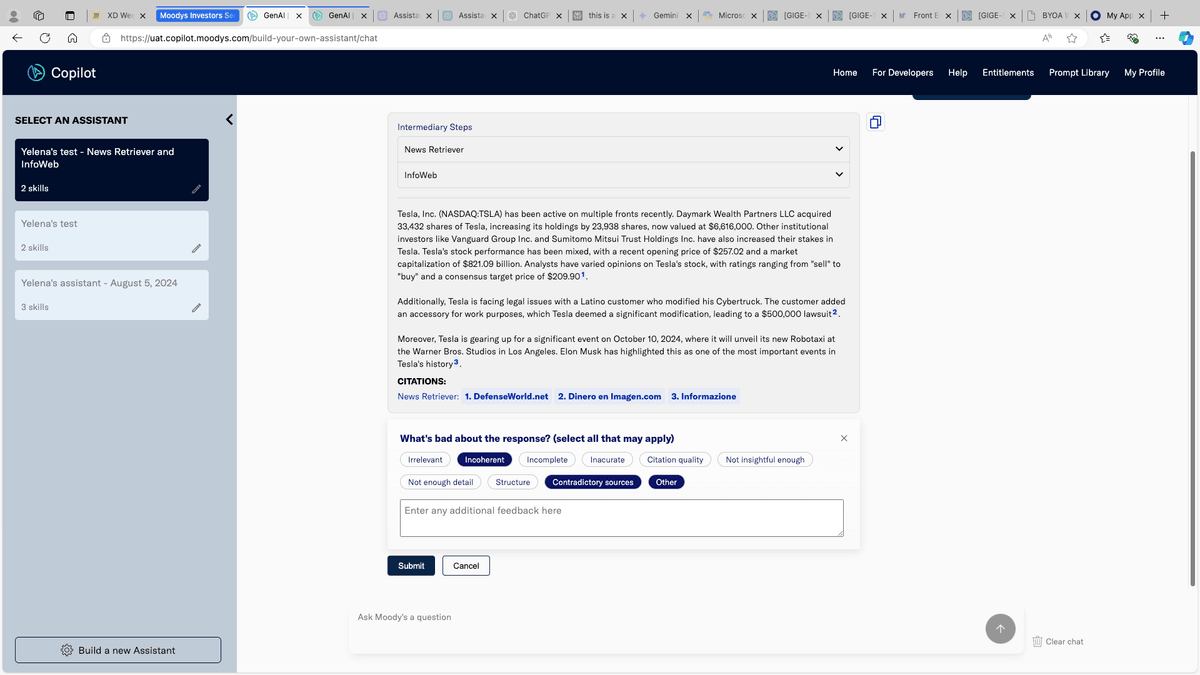
The pre-canned options in the Web UI, for "Build Your Own Assistant". Here the user chose "Bad" feedback.
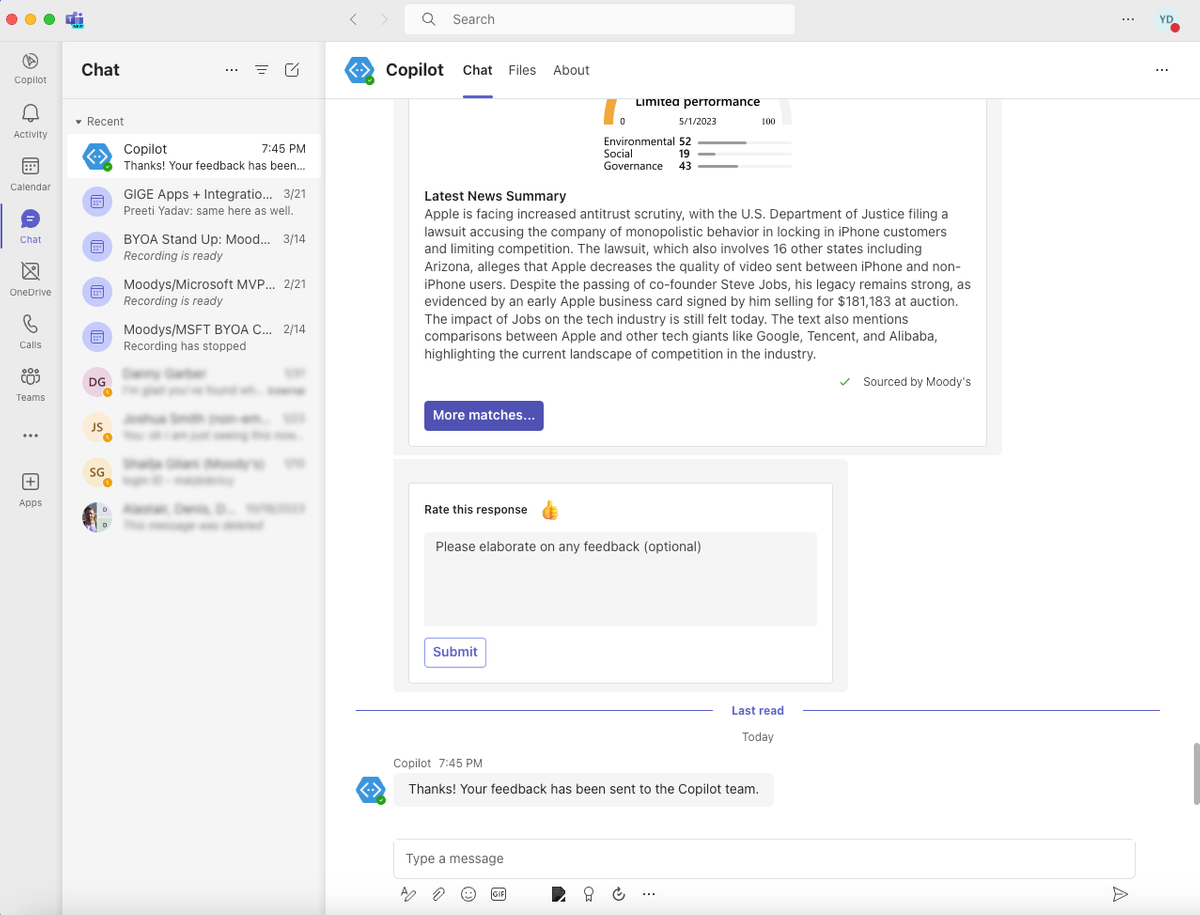
In Teams, there are no pre-canned options. The Teams framework does not allow for that, from a development perspective. So the user gets to choose from "good, neutral, bad" and then can give free-text input.
In Slack, there are no pre-canned options. The Slack framework does not allow for that, from a development perspective. So the user gets to choose from "good, neutral, bad" and then can give free-text input.
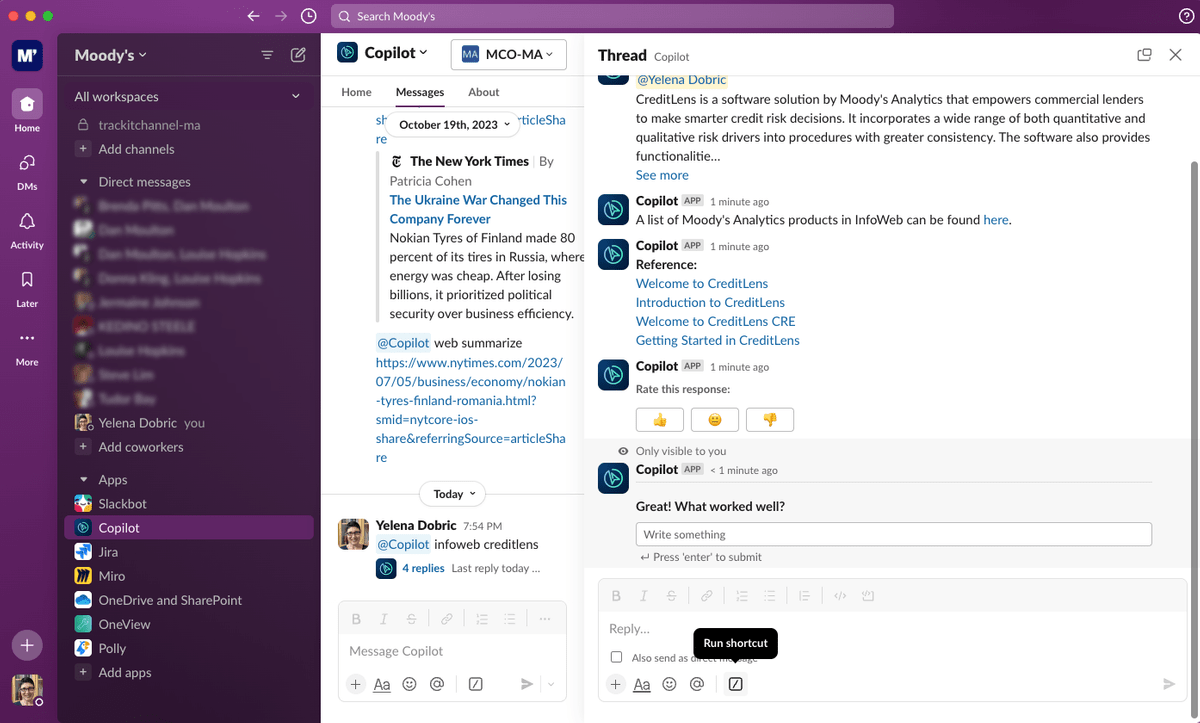
To come up with bespoke content options for individual skills:
● I tested each skill individually, to see how it works. Some skills we've evolved and improved since launch.
● I queried Copilot user research for aggregated input in individual skills.
● The Head of User Research and I conduct user research quarterly. She uploaded the transcripts to our “Chat With Your Data” skill. As part of this “User feedback update”, I asked “Chat With Your Data” about aggregated user input on each skill; common complaints - so I can include that in the user feedback. The responses were great and saved me tons of time.
● I reviewed my notes from the user research sessions.
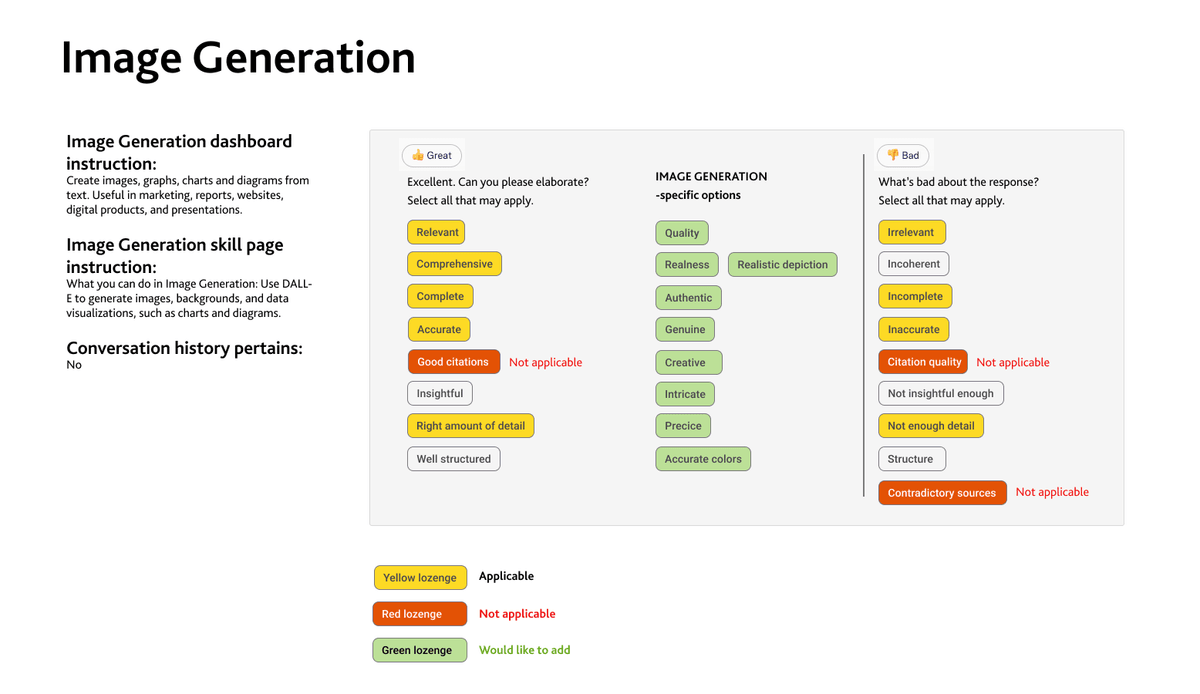
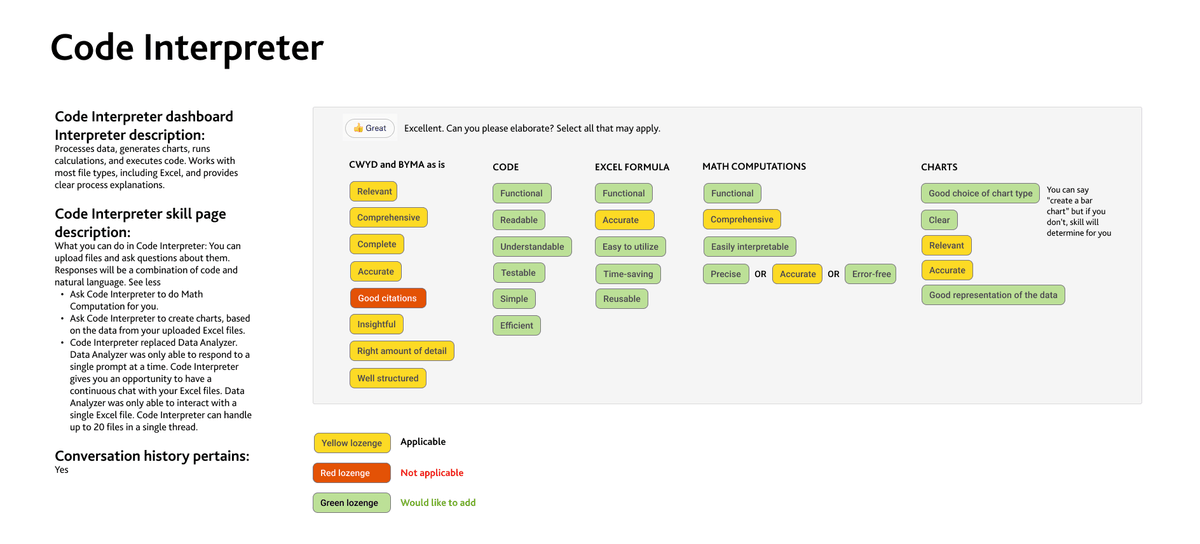
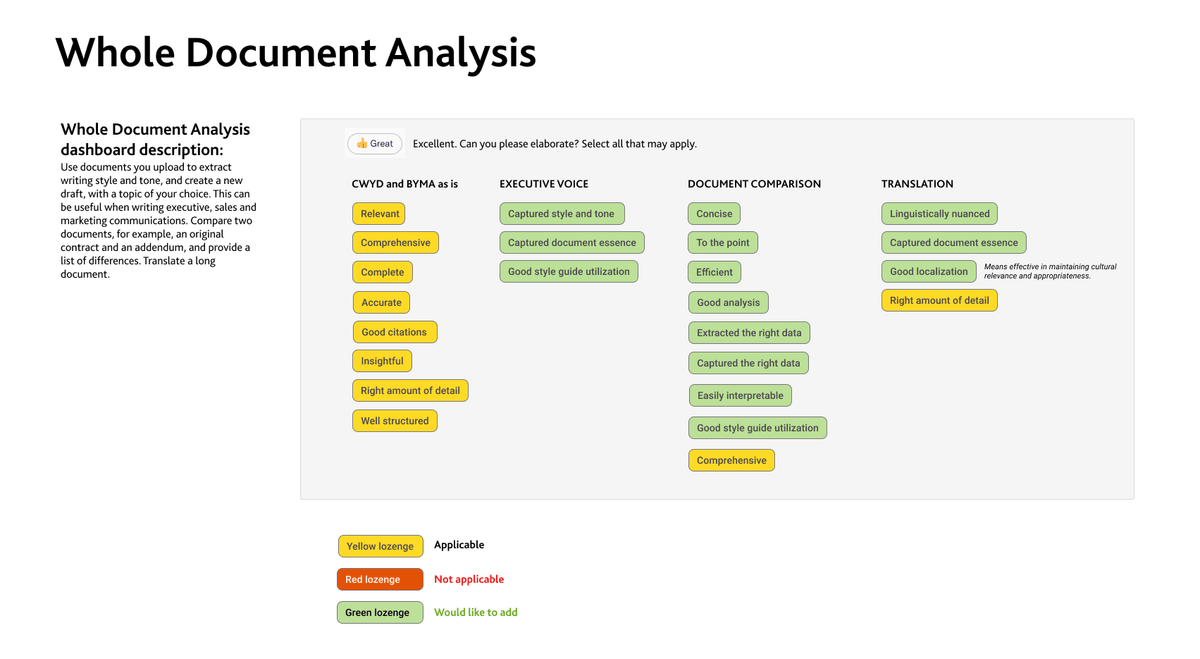
● I asked our Sandbox skill (like OpenAI Playground) for inspiration. I used some of the following prompts (relevant prompt is above each associated slide):
"You are evaluating a skill that generates images. Some options are "quality", "realness"...give more options" Not all options came from Sandbox. Usually about 2 I used. But the skill offered inspiration.
Prompt: "You are evaluating a Code Interpreter skill. It writes code. It can analyze Excel files, or write Excel formulas. It does math computation and creates charts. Give me pre-canned user feedback options for this new skill".
Prompt: "A new skill analyzes documents wholistically. Thus far, we only had "chunked" document ingestion. The new skill is good at:
● Evaluate my previous email and extract my writing style and tone.
● Compare documents (contracts for example, original against an addendum).
● Translate content.
Some options are "well captured context", "good grasp of meaning"
Give me more options for pre-canned user feedback options for this new skill."
For Sandbox, it's a well-liked and used skill, but it has much room for improvement. I used input from user research, to inform content here.
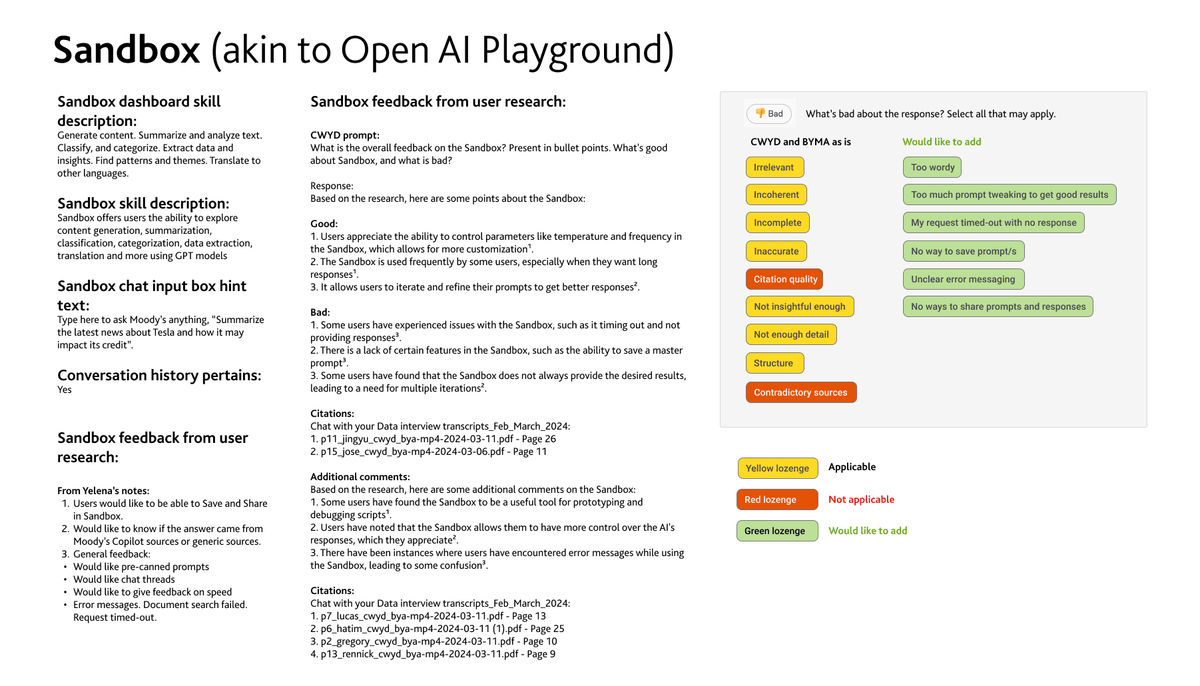
Web UI. "Build Your Own Assistant" skill. More complex feedback. And also framework for evaluating individual skills.
Errors
Situation:
Handle errors in Moody's Copilot.
Task:
Write copy and come up with an error handling framework.
Action:
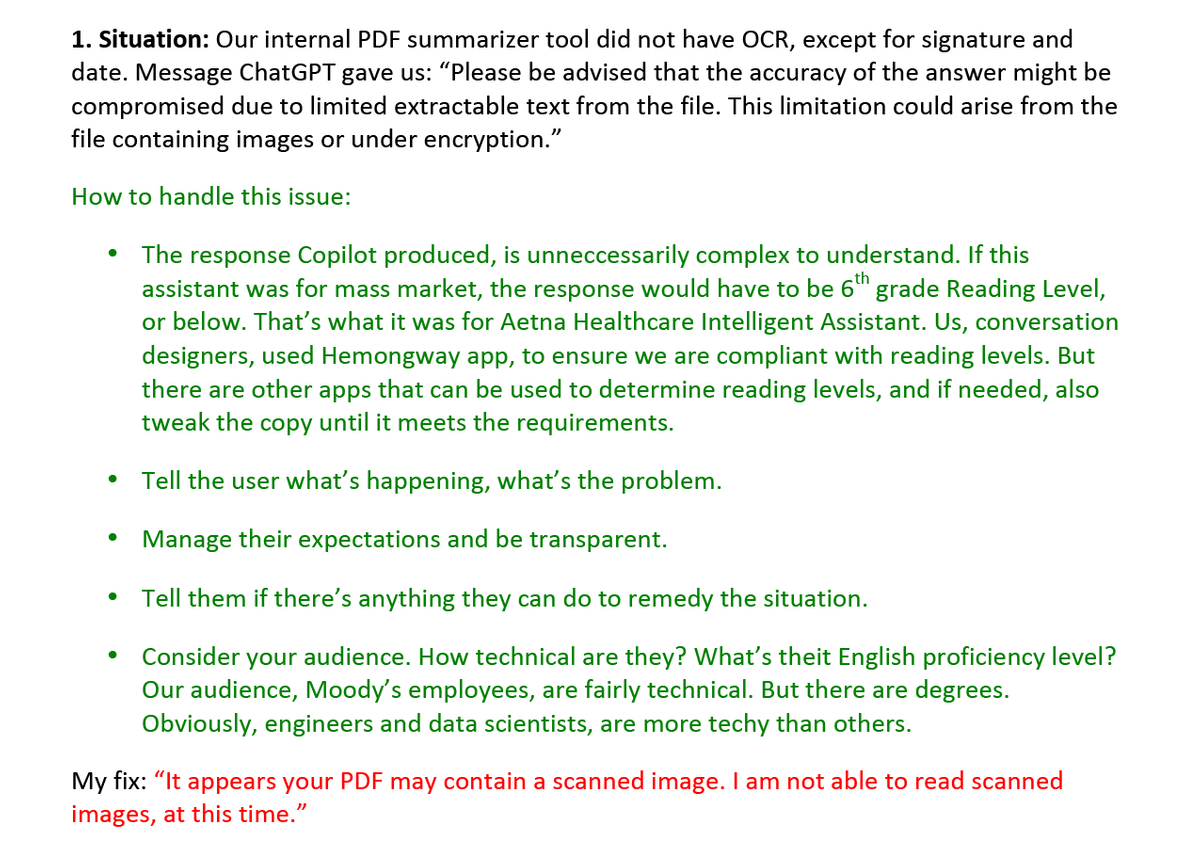
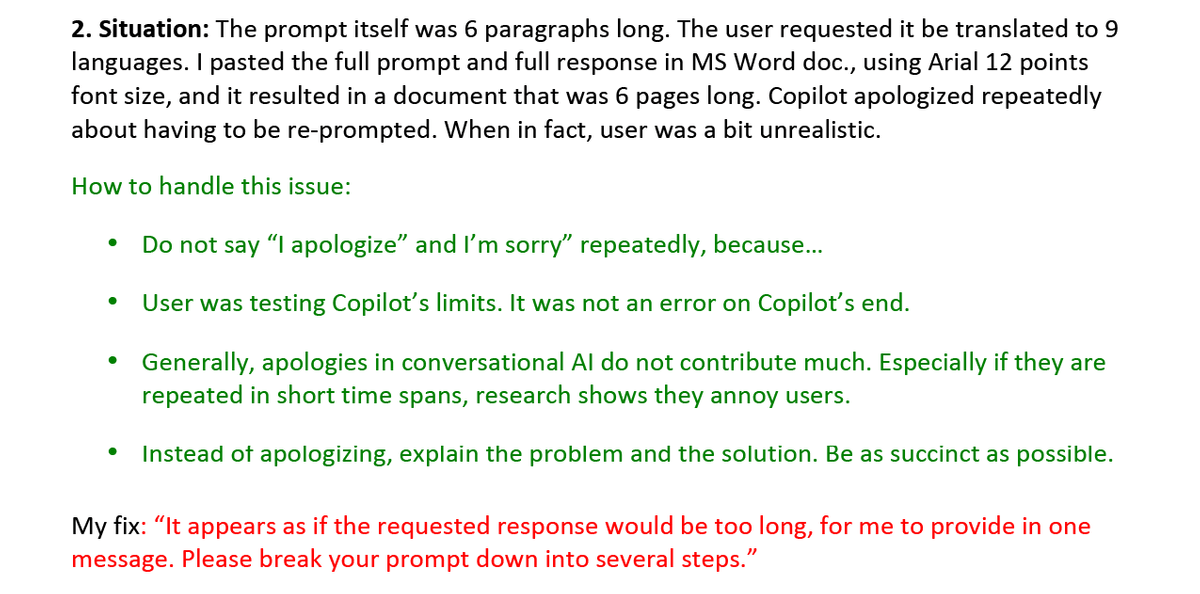
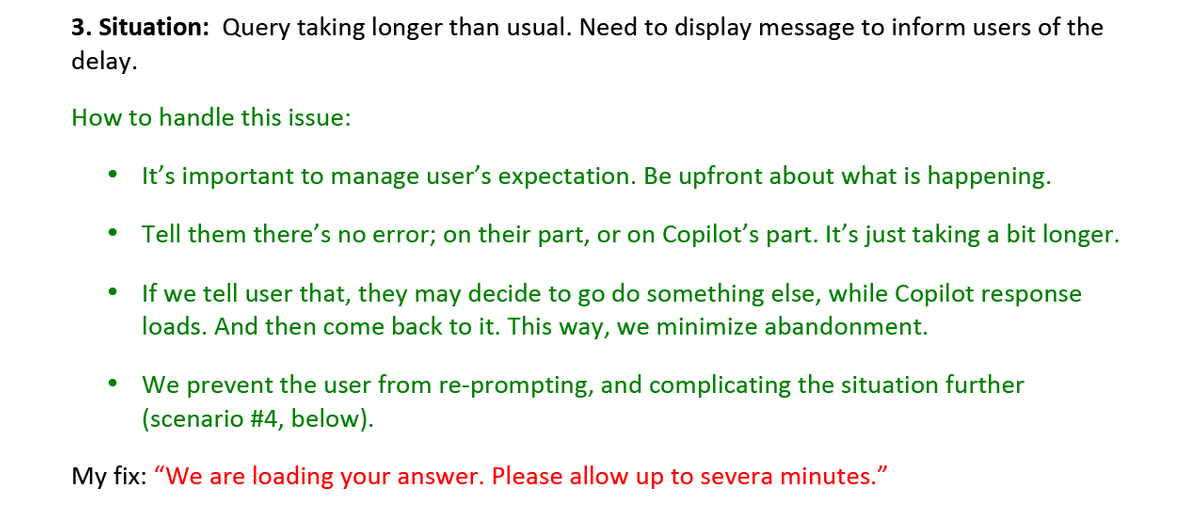
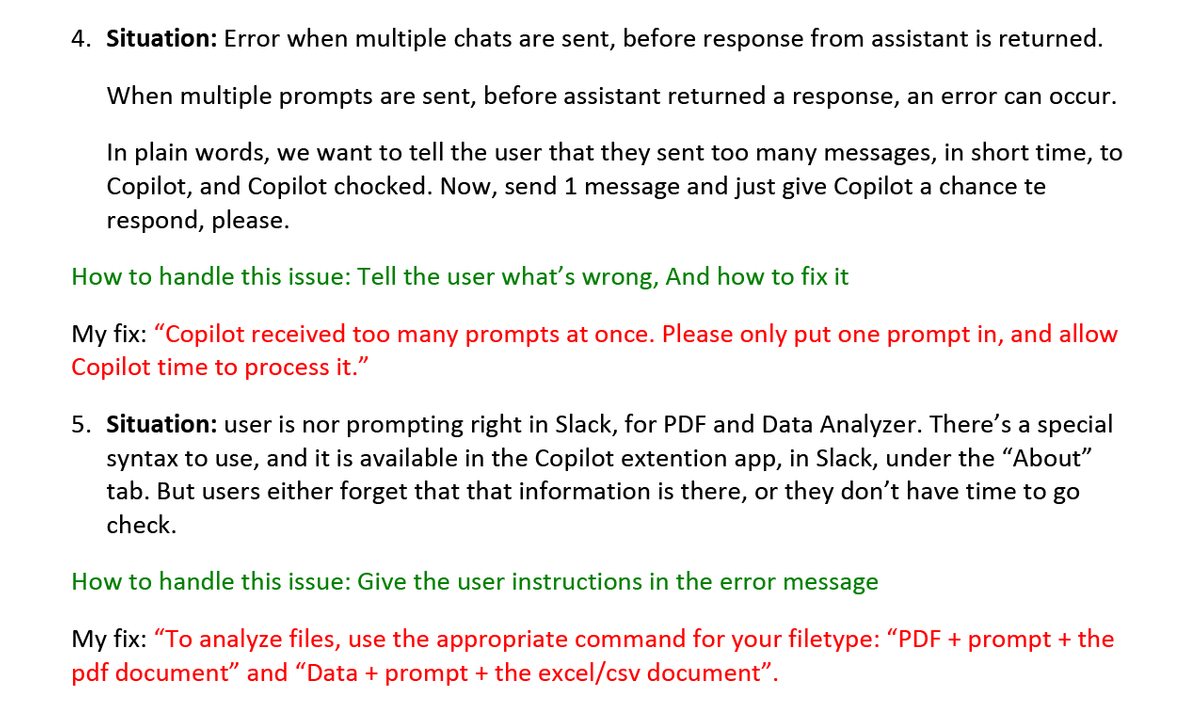
Came up with a repeatable, consistent framework, to handle errors - in such a way that other designers, who do not have experience with Conversation Design, can understand the logic, and utilize the framework, to provide an effective method for solving issues, and continuing the conversation between the user and an assistant.
Result:
Reduced friction and improved user experience.